Cineshots.AI Shot List Interface
UI/UX AI Tool Film

Cineshots.AI

Cineshots.AI turns film scripts into shot lists, cutting pre-production time by up to 90%. Built for CineGach Studios so Directors of Photography spend their hours on creative decisions, not prep.

Role

Lead Product Designer

Timeline

1 year

Platform

Web Application

Tools

Figma, Photoshop, Linear, Miro, Clickup, Zeplin

TL;DR

Problem

Shot listing is manual, slow, and error-prone, stealing time from creative decision-making.

My Role

Lead Product Designer (0→1) partnering with the CEO and dev team to define workflows, IA, and UI.

Constraints

Early-stage AI (Jan 2023), film-set realities, and a hard requirement to keep humans in the loop.

Impact

Designed a system reporting up to 90% pre-production time saved and used on productions for major streaming platforms.

The Challenge

A Shot List is the shooting schedule and the on-set "bible" that holds creative intent together when the plan goes sideways. DPs build them by hand: dozens of hours per script, with plenty of room for error.

What if you could skip straight to the creative part?

CineGach Studios brought me on in January 2023, when AI film tools were just emerging. Plenty of pre-production tools existed; none were built around the cinematographer's creative process.

Good preparation improves the quality of your improvisation, and filmmaking is mostly improvisation.

The Goal

DPs upload a script; the AI breaks every scene into shot lists with camera movements, equipment, and efficient shooting days. Full manual control throughout.

90%
Pre-Production Time Saved
3
Major Streaming Platforms
1
Year of Development

The Process

A year, three phases, working closely with the CEO and development team.

Phase 1: Research & Validation (3 months)

Three months testing concepts with working DPs before any production code. Having scored films, mixed sound on set, and directed my own shorts, I knew the workflows, which let the interviews go deeper.

Phase 2: Design & Development (3 months)

I led high-fidelity prototyping and worked with engineering through the shot-list editor, long-script performance, and export formats for call sheets and rental houses. The platform launched to immediate adoption and has been used on productions for SHOWTIME, Prime Video, and Tubi.

Phase 3: Post-Release Iteration (6 months)

After launch we kept refining the product on data from working filmmakers, using their real productions to drive what shipped next.
From Script to Shot List

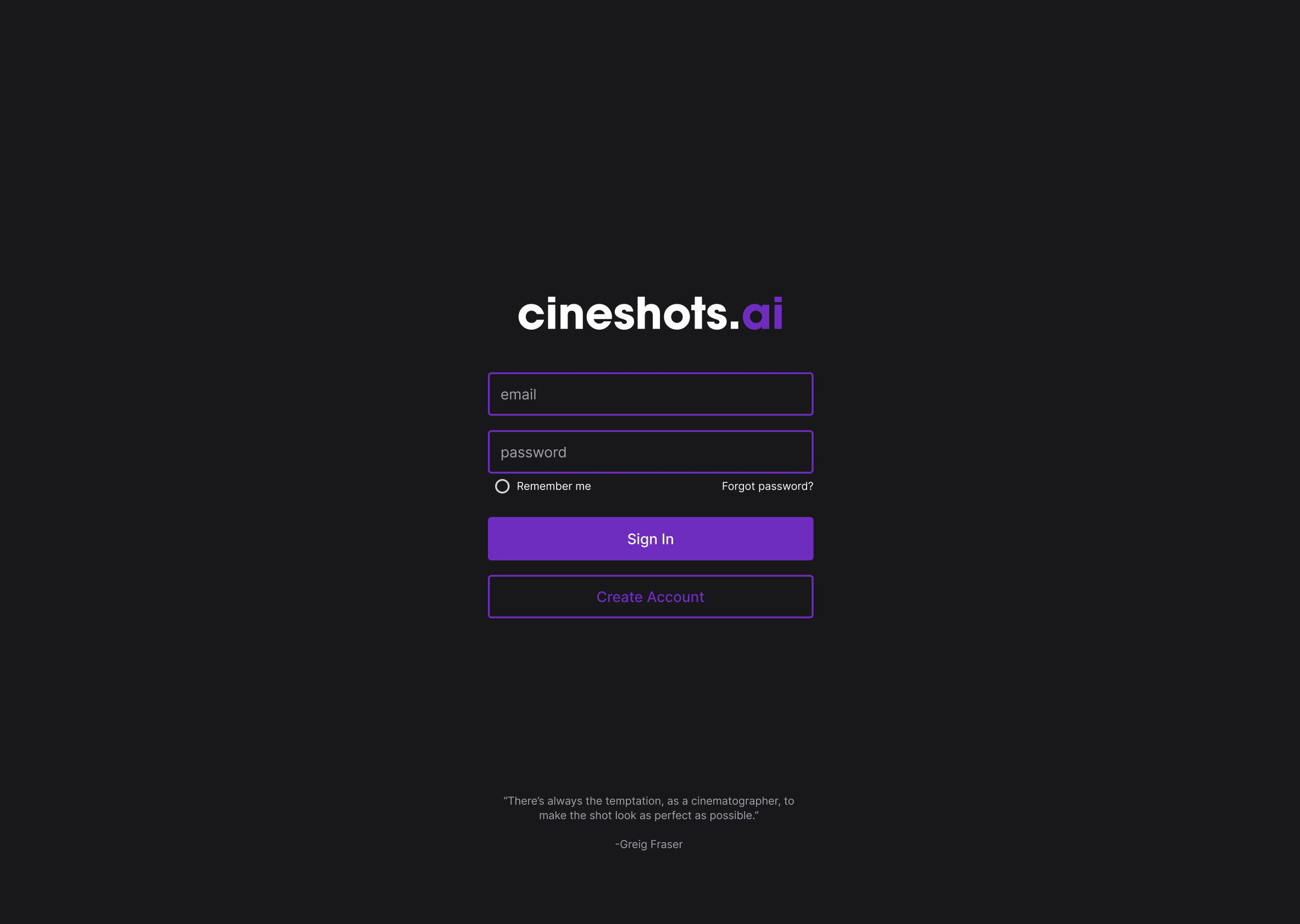
Clean Authentication

Dark, cinematic, purple accents, and a rotating quote from a legendary cinematographer on each visit.

Cineshots Login Screen
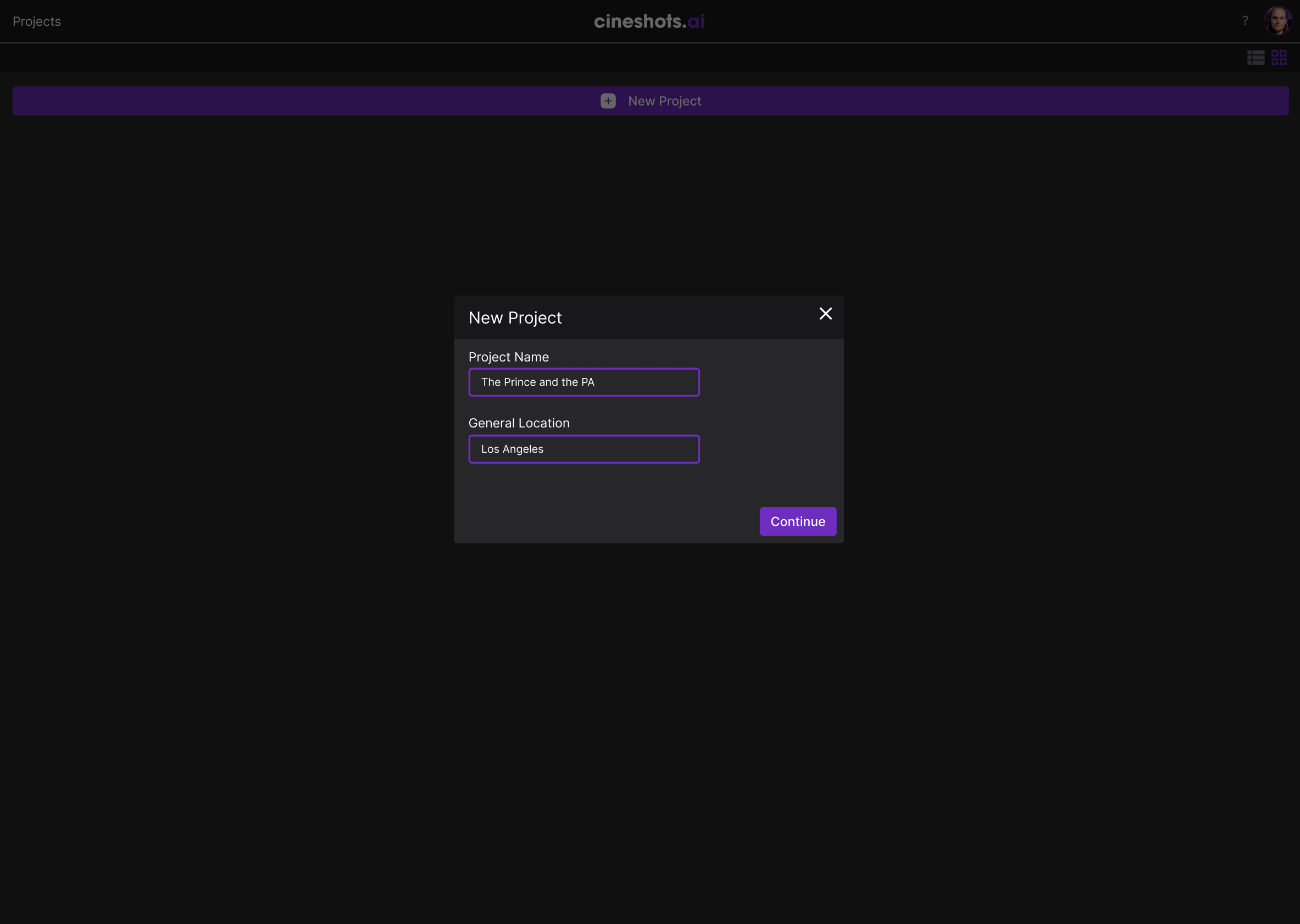
New Project Modal

Project Setup

A name and a location. Equipment recommendations adjust to local rental rates.

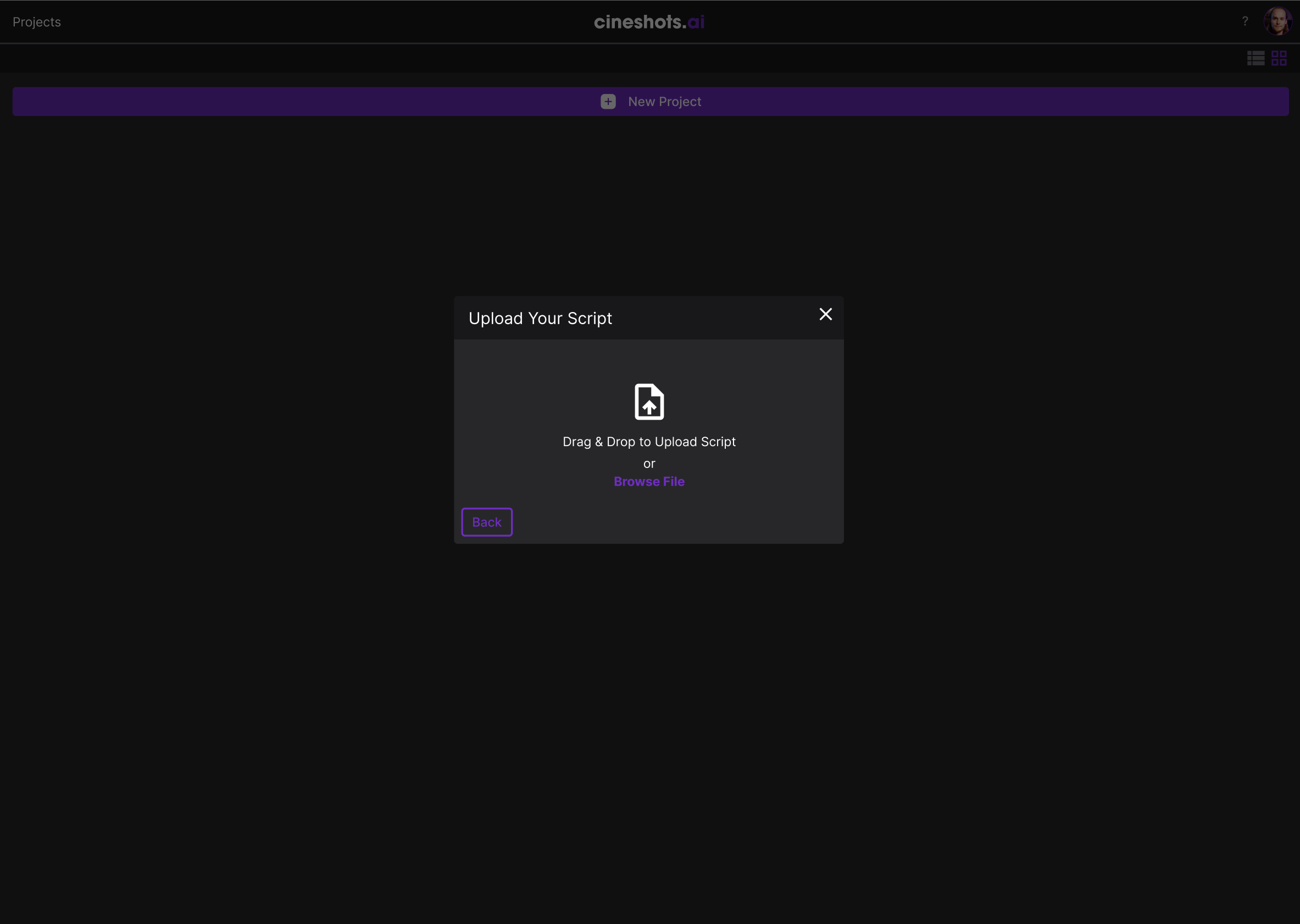
Script Upload

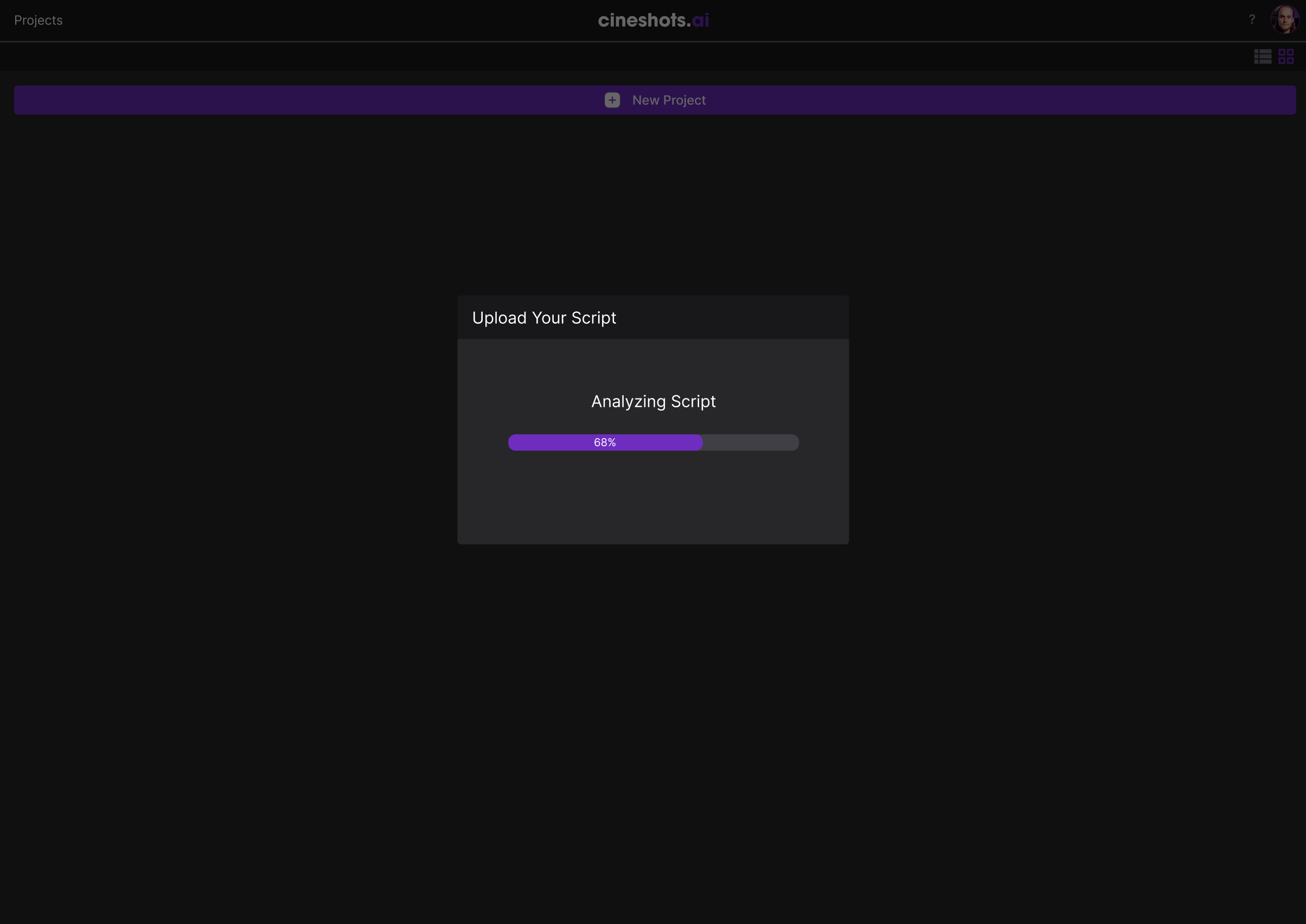
Drag and drop, with clear feedback: uploading, analyzing, page counts, done.

File Drop Interface
Script Analysis Progress
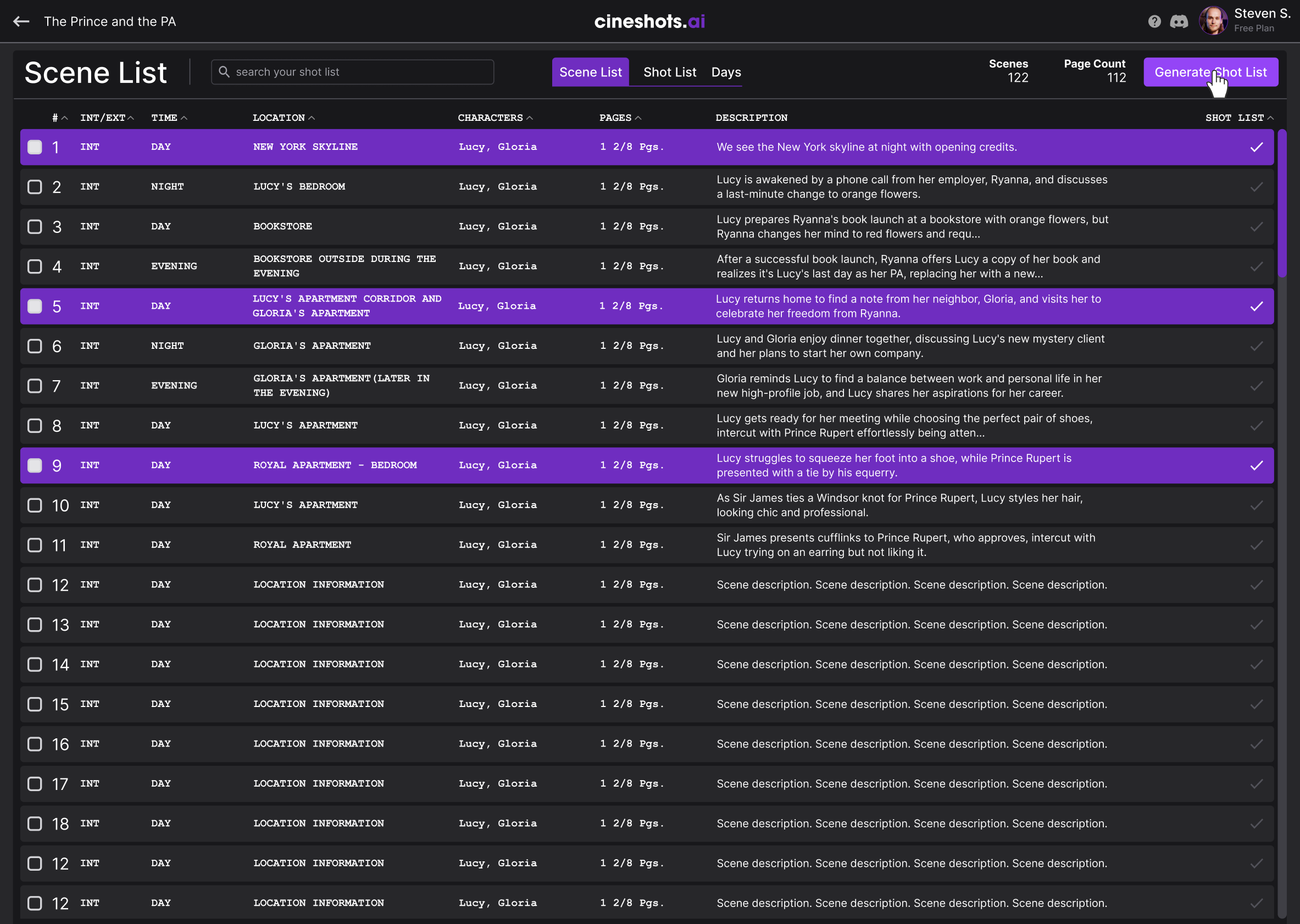
Scene List View

Scene List Generation

The AI extracts every scene with its metadata. Generate Shot List turns the narrative into a production plan.

The Shot List Experience

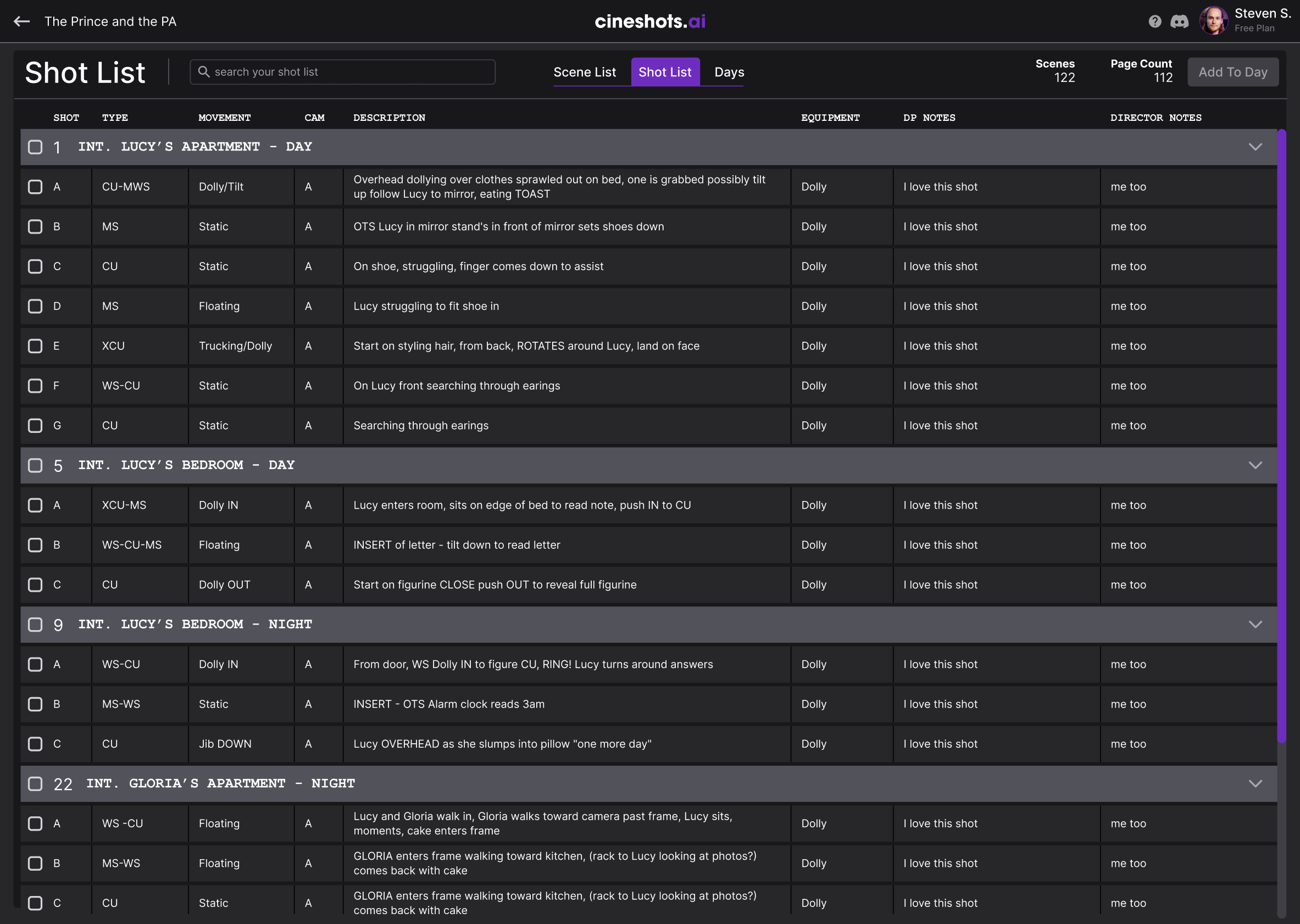
The heart of Cineshots.AI is a data-dense but navigable table that gives DPs control over every shot.

Shot List Full View

Hierarchical Organization

Scenes group by location and time of day, shots nested under them.

Shot Metadata

Shot type, camera movement, equipment, and notes for DP and Director.

Bulk Selection

Batch-assign equipment, move days, or export whole scenes at once.

Planning Days and Gear

Camera Movements

Inline dropdowns adjust movement without leaving the table, with defaults from the AI's read of each shot.

Camera Movement Dropdown
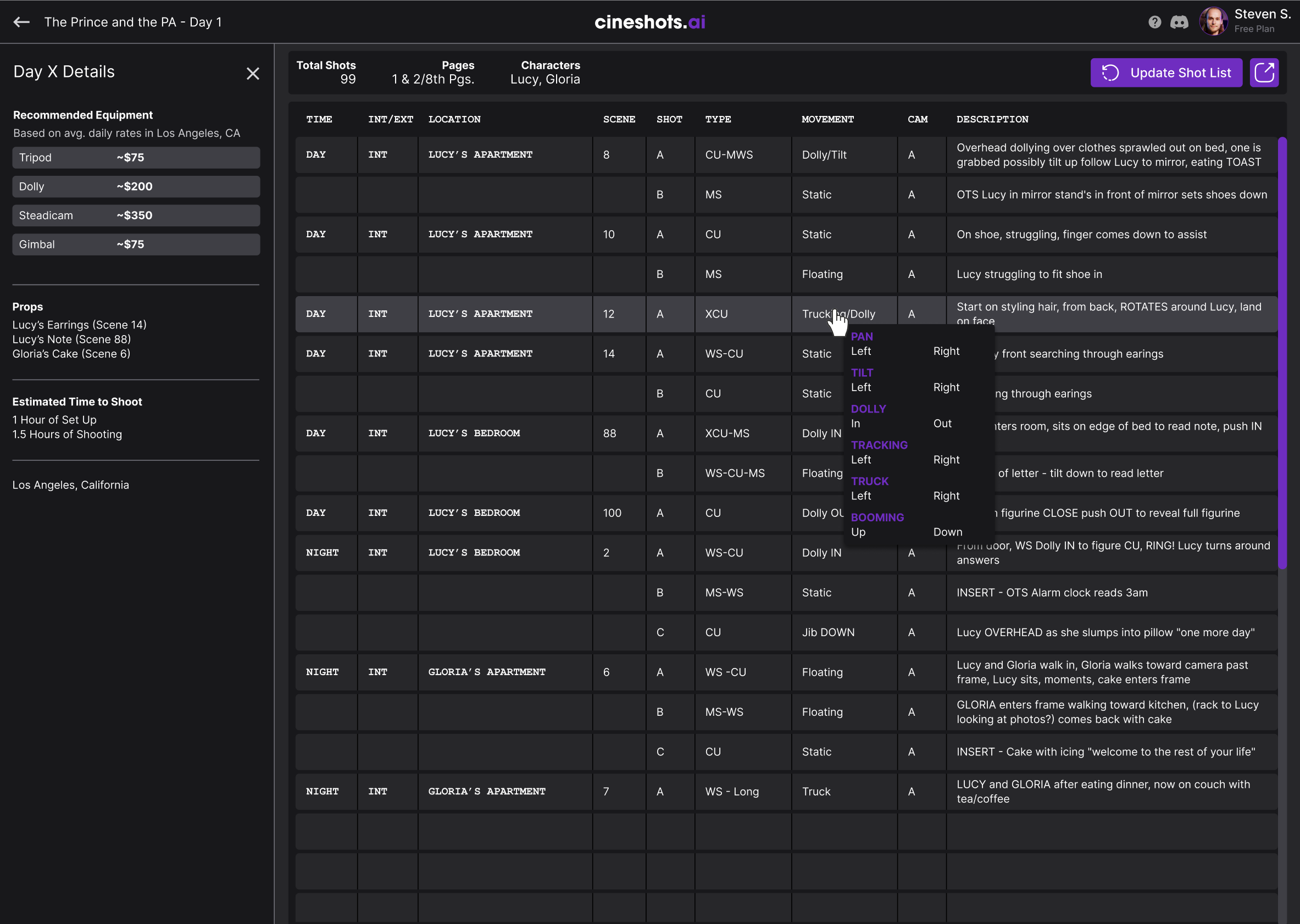
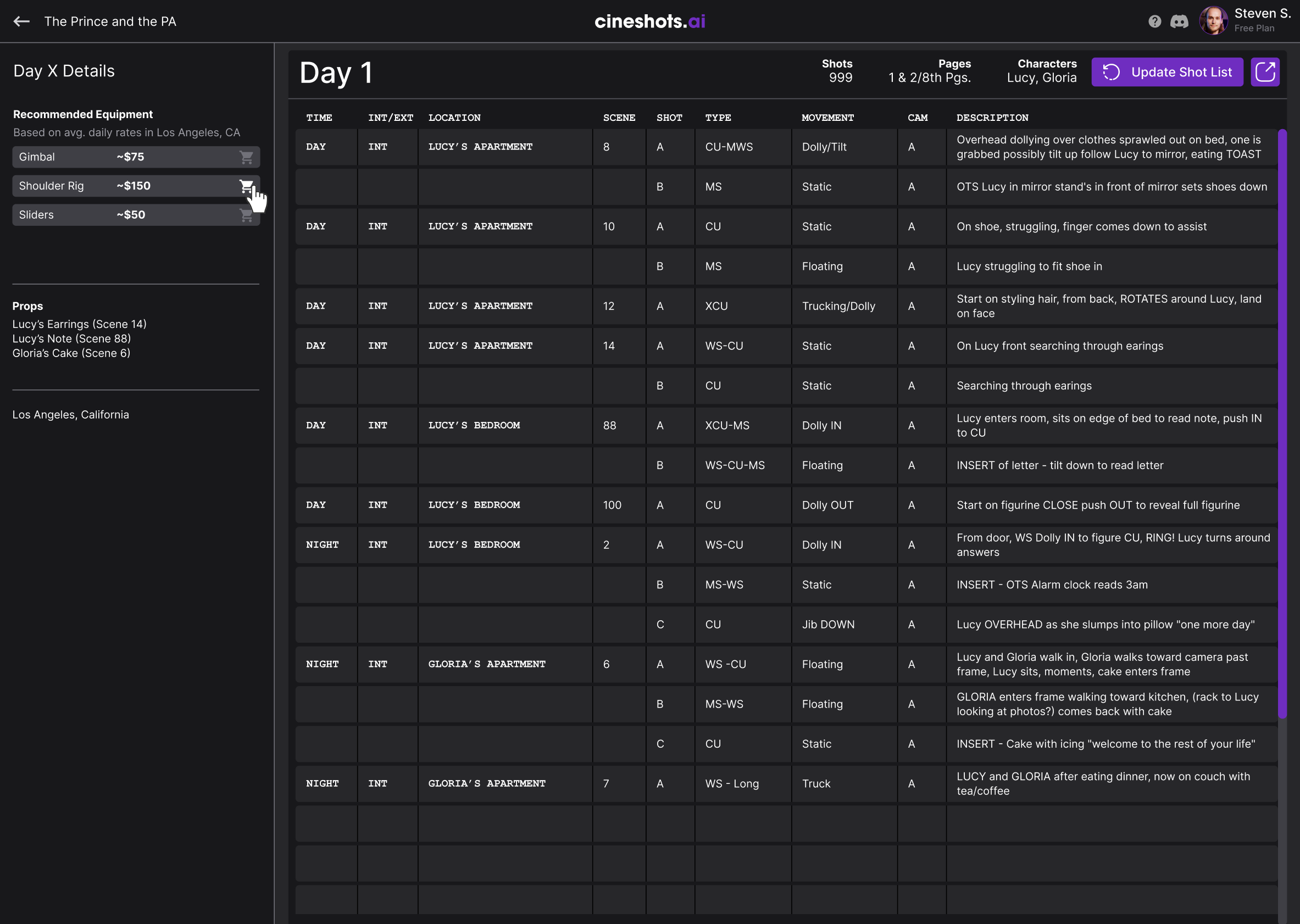
Day Details View with recommended equipment

Day Planning

The Days view reorganizes shots by schedule; shot counts, pages, cast, and rental estimates are calculated automatically.

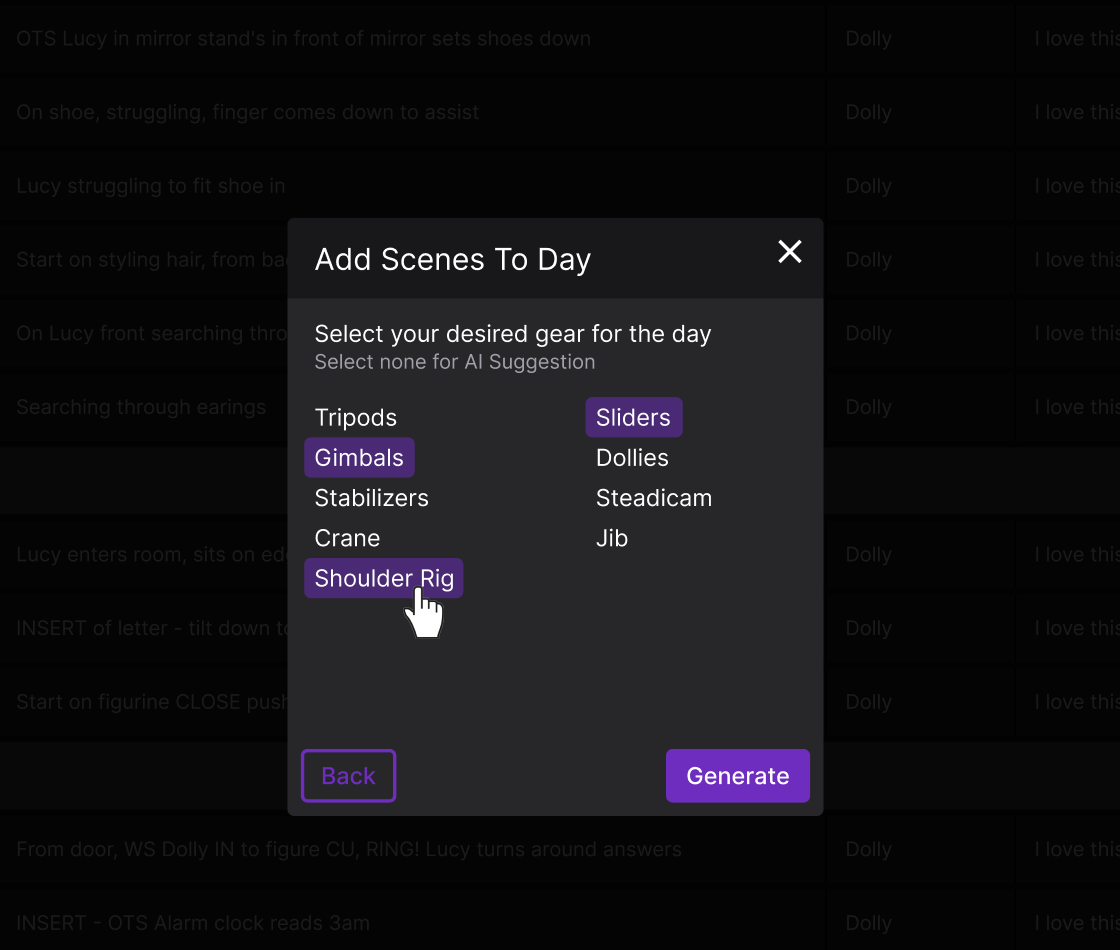
Smart Equipment

Specify gear or let the AI calculate which setup covers the most shots.

Gear selection for a shooting day

Design System

Color Palette

#1A1A1E
#2D2D35
#3D3D47
#9B59B6
#A855F7
#FFFFFF

Typography

Inter
Aa Light
Aa Regular
Aa Bold

Design Rationale

1. Data Density Done Right

Film professionals need a lot on screen at once, so the tables are dense but scannable rather than hiding data behind clicks.

2. Cinematic Aesthetic

The dark theme and purple accents echo the color grading and editing tools these professionals already use daily.

3. Trust Through Transparency

AI suggestions are labeled as suggestions, never final. The reasoning is visible and everything stays editable.

Key Trade-offs

Automation vs. control

We kept manual overrides everywhere so cinematographers trusted the AI; this cost extra UX complexity but preserved creative ownership.

Model accuracy vs. UX latency

We prioritized faster script parsing with progressive loading, accepting lower initial detail in exchange for speed.

Feature depth vs. onboarding

We trimmed advanced features from the first-time flow to keep activation under 10 minutes.

Key Takeaway

The best AI tools feel like collaborators, not replacements. Testing with working DPs before we built anything let Cineshots.AI take over the tedious parts without touching creative control.