Cineshots.AI Shot List Interface
UI/UX AI Tool Film

Cineshots.AI

An AI-powered shot list automation platform that transforms film scripts into comprehensive production breakdowns. Designed for CineGach Studios in Los Angeles, Cineshots.AI cuts pre-production time by up to 90%—enabling Directors of Photography to focus on creative decisions rather than administrative work.

Role

Lead Product Designer

Timeline

6 months

Platform

Web Application

Tools

Figma

The Challenge

"Cinematographers and filmmakers face common challenges when creating and managing Shot Lists: It's a time-consuming and manual process, with potential for human errors, leaving less time, energy and budget for creativity."

What if you could just skip to that creative part?

Back in January 2023, when AI film possibilities were just emerging, I was brought on to the Cineshots team by CineGach Studios to tackle exactly this problem. The shot list process on set was entirely manual, time-consuming, and prone to human error.

Directors of Photography were spending countless hours breaking down scripts scene by scene, manually planning shot types, camera movements, and equipment needs—work that could take days or even weeks for a feature-length production. That was time and energy stolen from the creative work they actually wanted to do.

The Mission

A Shot List is a crucial filmmaker's tool—it logistically lays out the shooting schedule but also acts as a guide and on-set "bible" to maintain creative integrity when the plan (99% of the time) goes unexpected.

A strong filmmaker is defined by their ability to pivot with challenges and achieve efficient, maximum creative results with available resources. With constantly changing variables, good preparation improves the quality of your improvisation and final product.

There are many pre-production tools out there—but none tailored to the Cinematographer's creative process. Now, with Cineshots.AI, there is one.

The Goal

Design and build from the ground up a revolutionary AI-powered SaaS platform that would allow directors and DPs to upload scripts, automatically analyze every scene, generate recommended shot lists with camera movements and equipment suggestions, and intelligently group scenes into efficient shooting days—all while maintaining full manual customization capabilities.

Say goodbye to the late-night hours spent in manual pre-visualization.
Save time and focus on the most important part—your vision and process.

90%
Pre-Production Time Saved
3
Major Streaming Platforms
6
Months Development

The Process

I worked closely with the CEO and development team across two distinct phases over 6 months.

Phase 1: Research & Validation (3 months)

The first three months were dedicated to understanding the problem space deeply. This included testing early concepts, conducting interviews with working Directors of Photography, gathering feedback through user testing sessions, running A/B tests on interaction patterns, and validating our assumptions about the workflow before writing production code.

Phase 2: Design & Development (3 months)

With validated concepts in hand, we moved into intensive design and development. The result was a polished platform that launched to immediate adoption—the tool has since been used on productions for SHOWTIME, Prime Video, and Tubi.
Design System

Color Palette

#1A1A1E
#2D2D35
#3D3D47
#9B59B6
#A855F7
#FFFFFF

Typography

Inter
Aa Light
Aa Regular
Aa Bold

UI/UX Breakdown

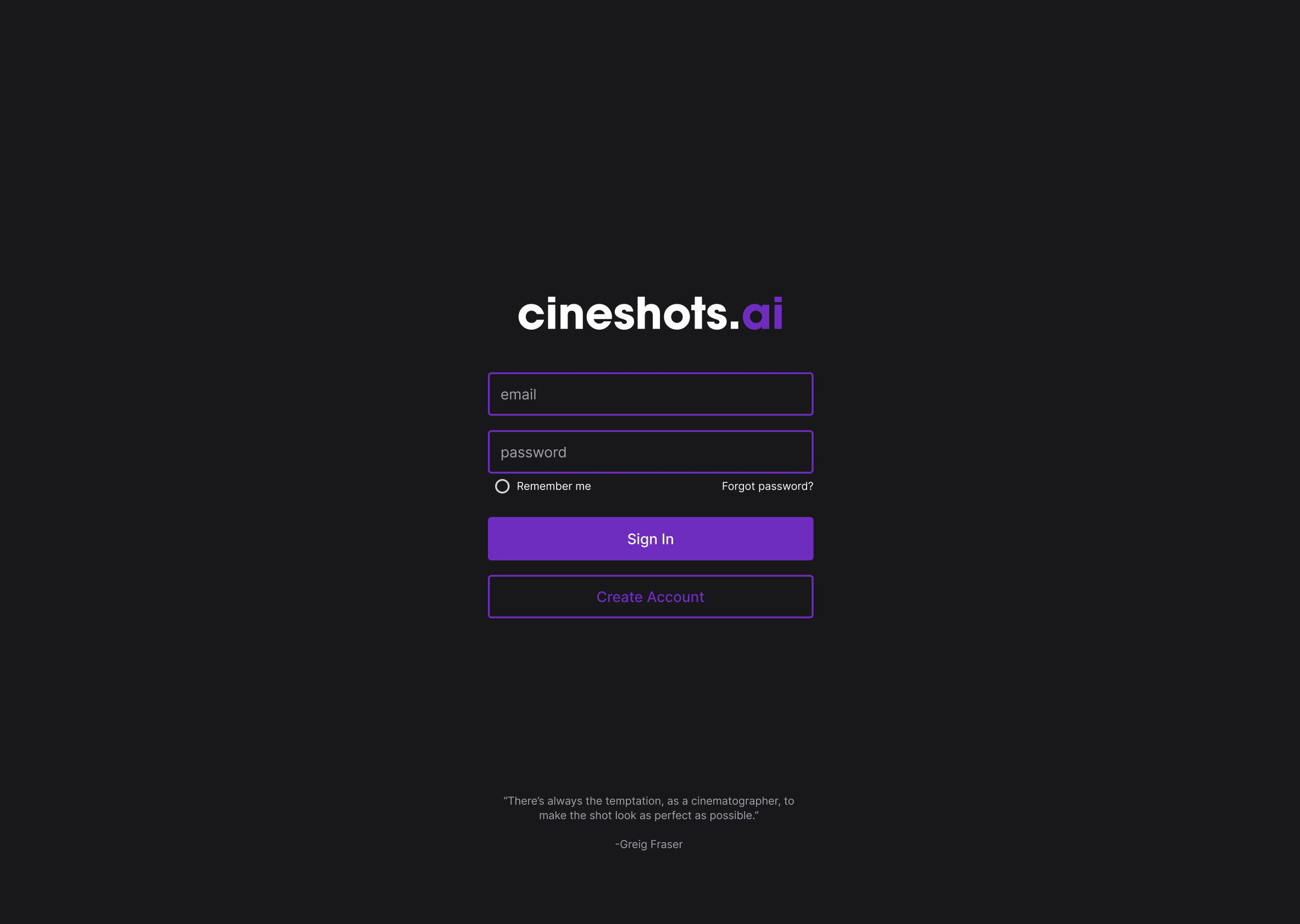
Clean Authentication

The login experience sets the tone with a dark, cinematic aesthetic. Purple accents guide the eye to action items while rotating quotes from legendary cinematographers—a different DP's wisdom on each visit—remind users they're entering a professional creative tool.

Cineshots Login Screen
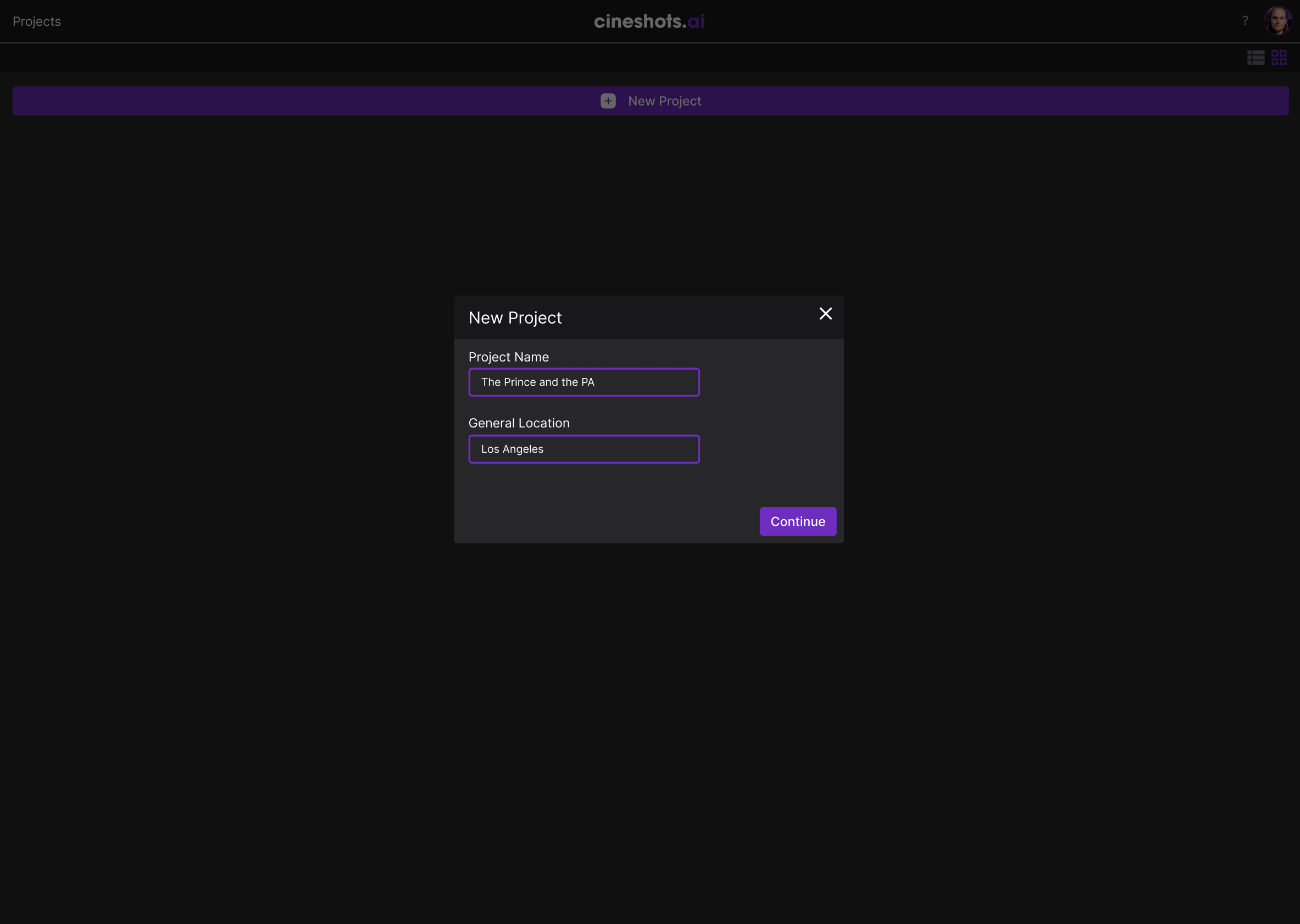
New Project Modal

Project Setup

Modal dialogs keep users focused on one task at a time. Creating a new project requires just a name and general location—minimal friction to get started, with equipment recommendations automatically adjusted based on local rental rates.

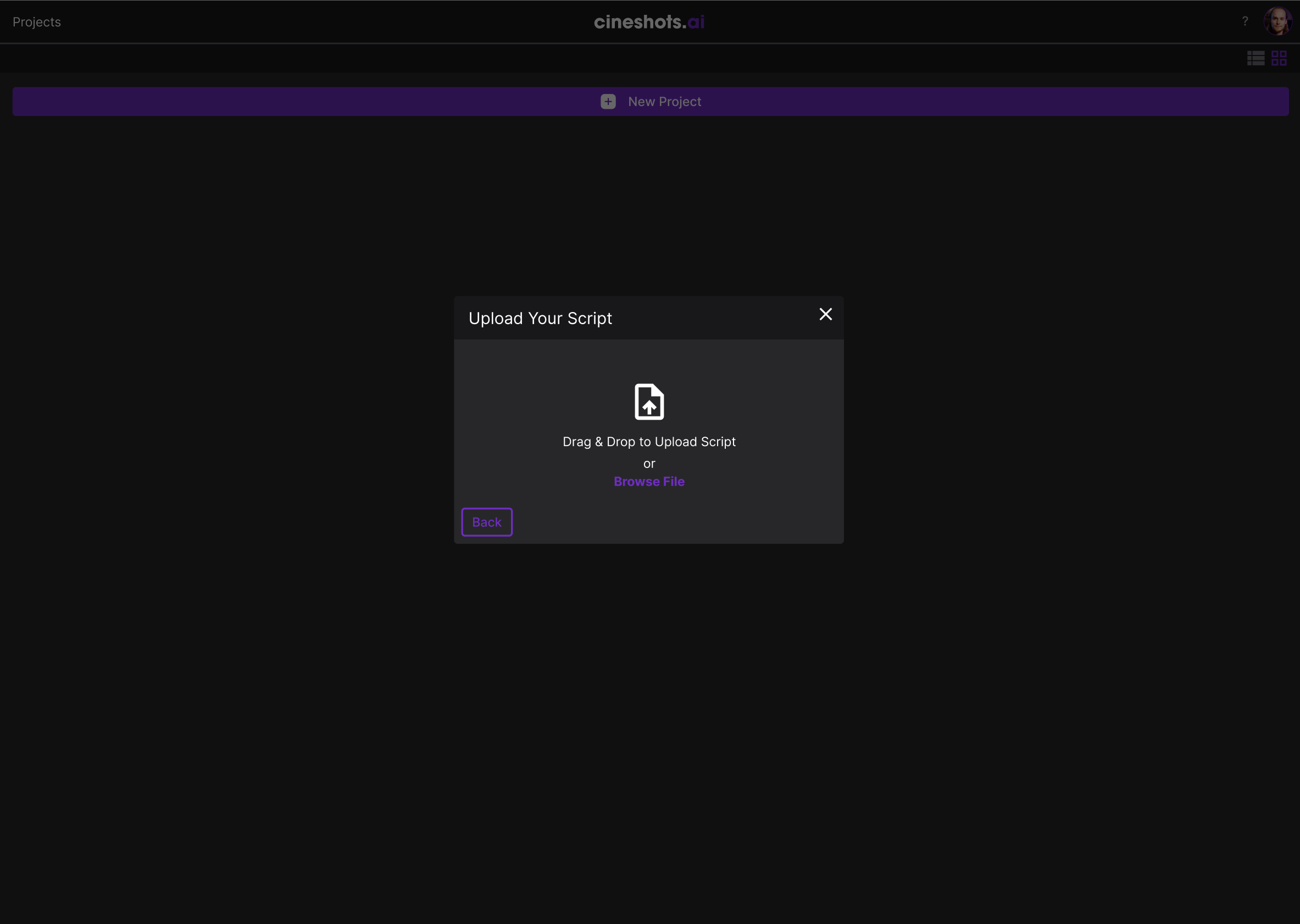
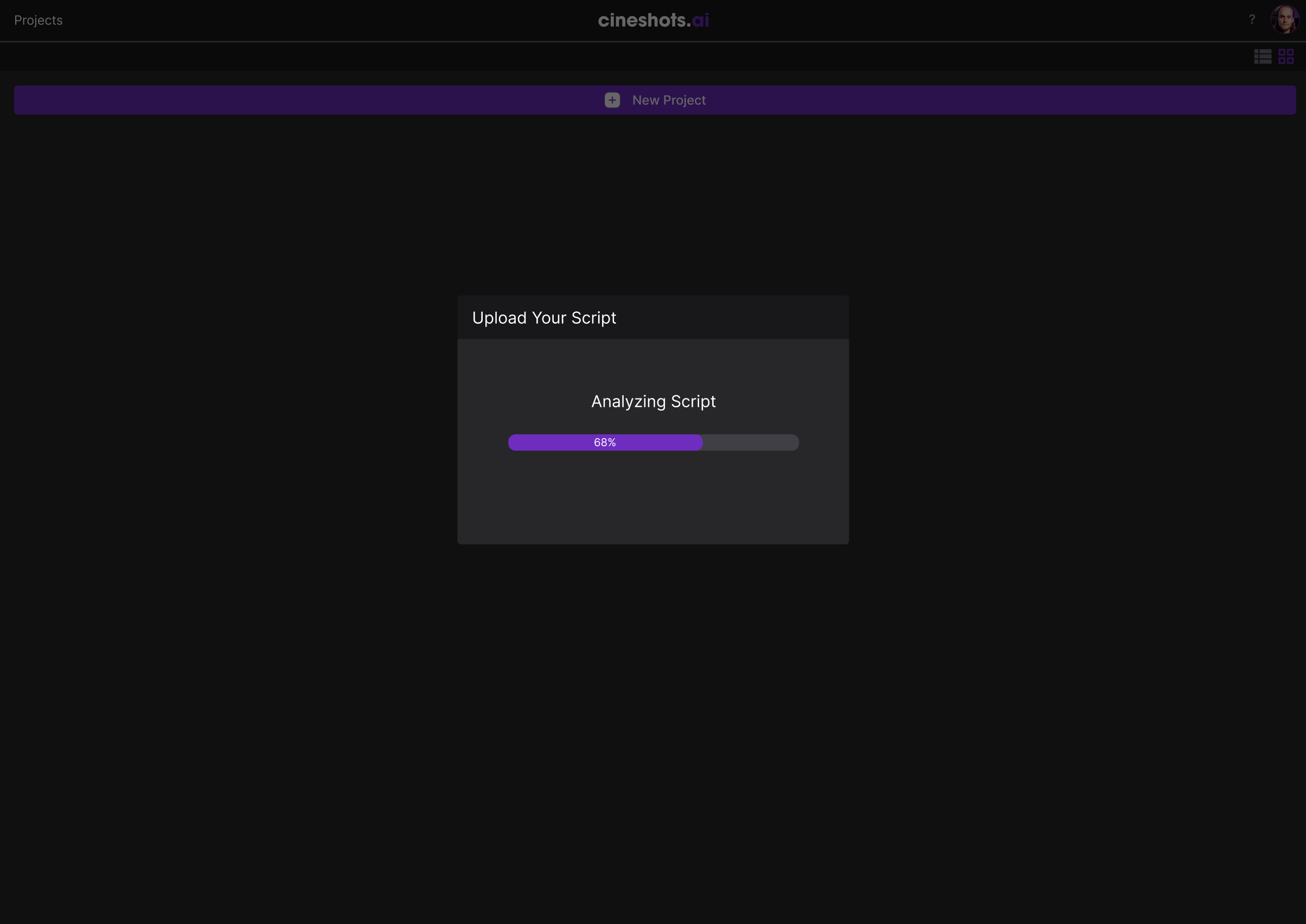
Script Upload

Drag-and-drop or browse to upload. The system accepts standard script formats and provides clear feedback through every step—uploading, analyzing, and ready confirmation with page counts before AI processing begins.

File Drop Interface
Script Analysis Progress
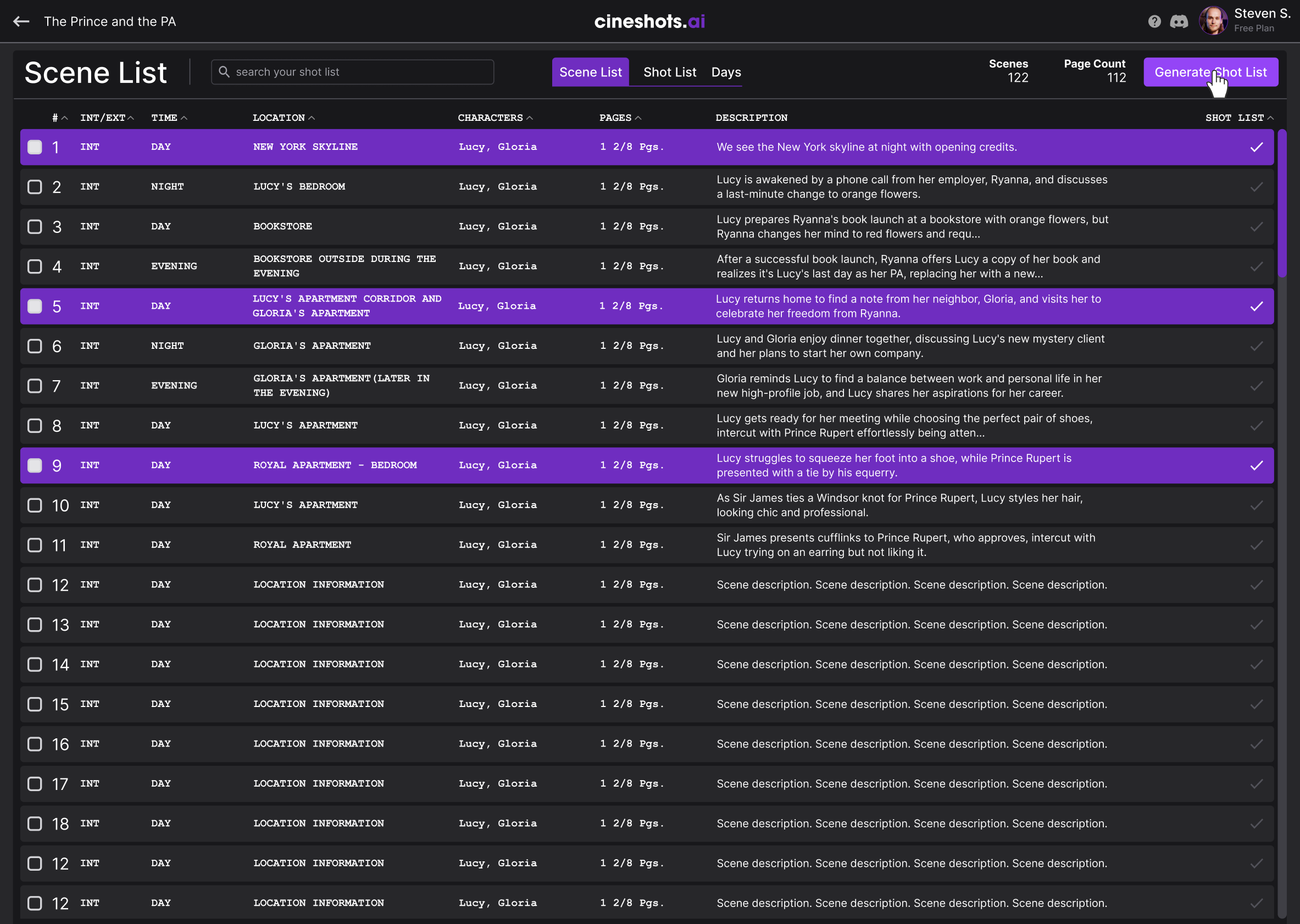
Scene List View

Scene List Generation

Once analyzed, the AI extracts every scene with key metadata: interior/exterior, time of day, location, characters, page count, and a brief description. The Generate Shot List button triggers the magic—converting narrative into actionable production plans.

The Shot List Experience

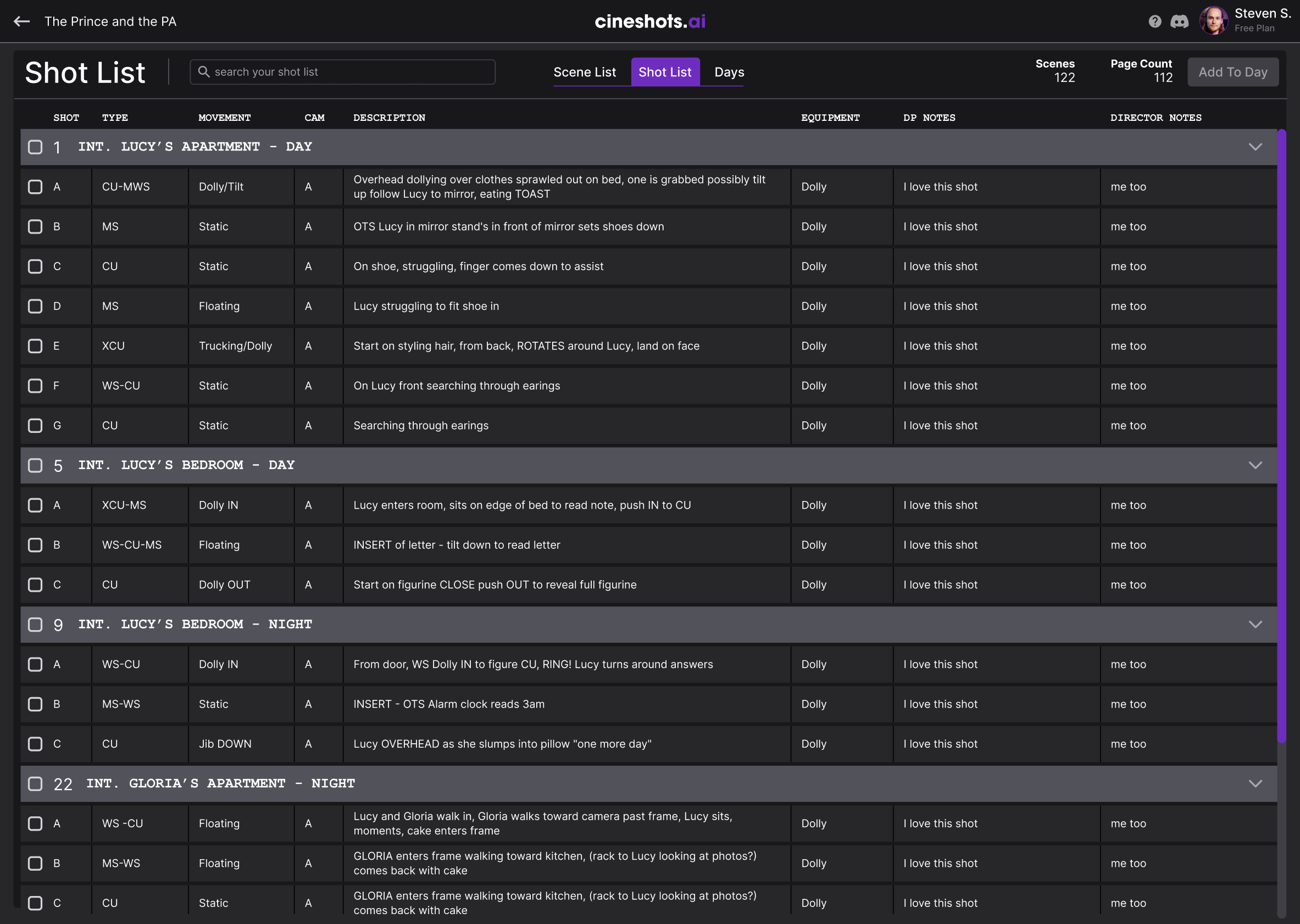
The heart of Cineshots.AI is the shot list interface—a data-dense but navigable table that gives DPs complete control over every shot in their production.

Shot List Full View

Hierarchical Organization

Scenes are grouped by location and time of day. Shots nest under their parent scenes with clear visual hierarchy through indentation and color coding.

Shot Metadata

Each shot includes type (CU, MS, WS), camera movement, description, equipment needs, and custom notes fields for DP and Director annotations.

Bulk Selection

Select multiple shots or entire scenes at once to batch-assign equipment, move to different days, or export for call sheets.

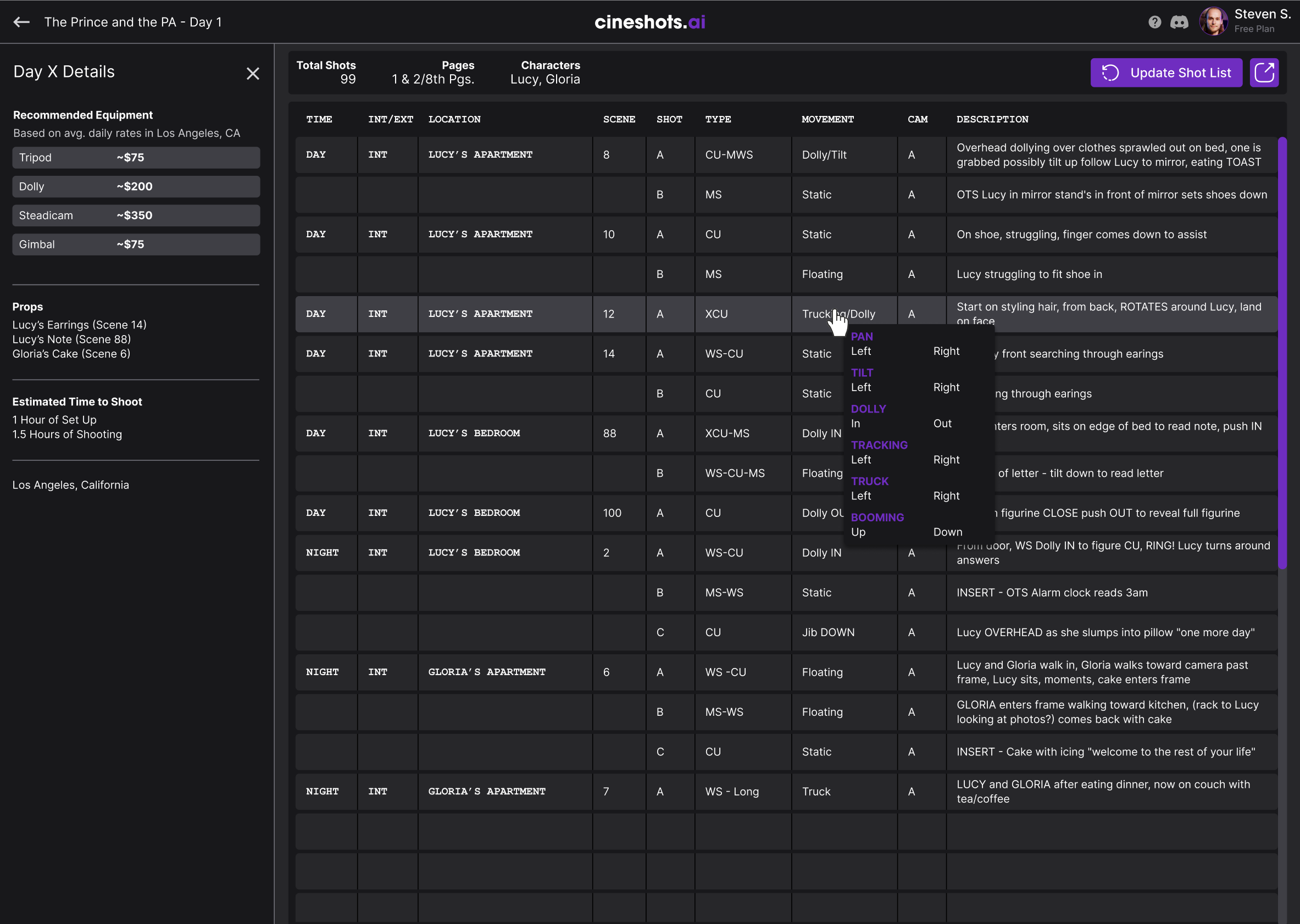
Camera Movements

Inline dropdowns let users quickly adjust camera movements without leaving the table context. Options include Pan, Tilt, Dolly, Tracking, Truck, Booming, and Static—with intelligent defaults based on the AI's analysis of each shot's dramatic needs.

Camera Movement Dropdown
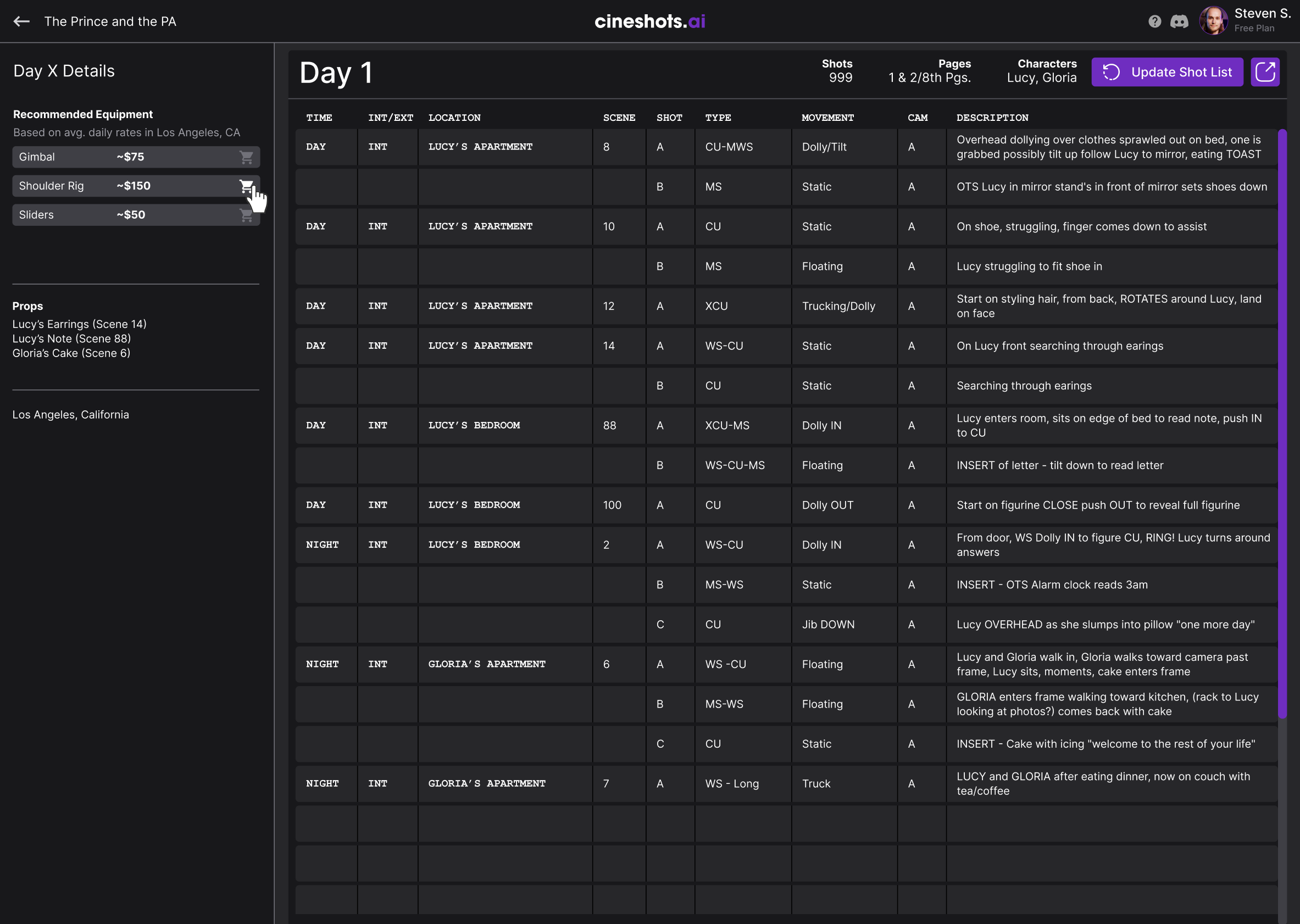
Day Details View

Day Planning

The Days view reorganizes shots by shooting schedule. The left sidebar shows recommended equipment with estimated rental costs based on the production location. Total shots, page counts, and character requirements are calculated automatically.

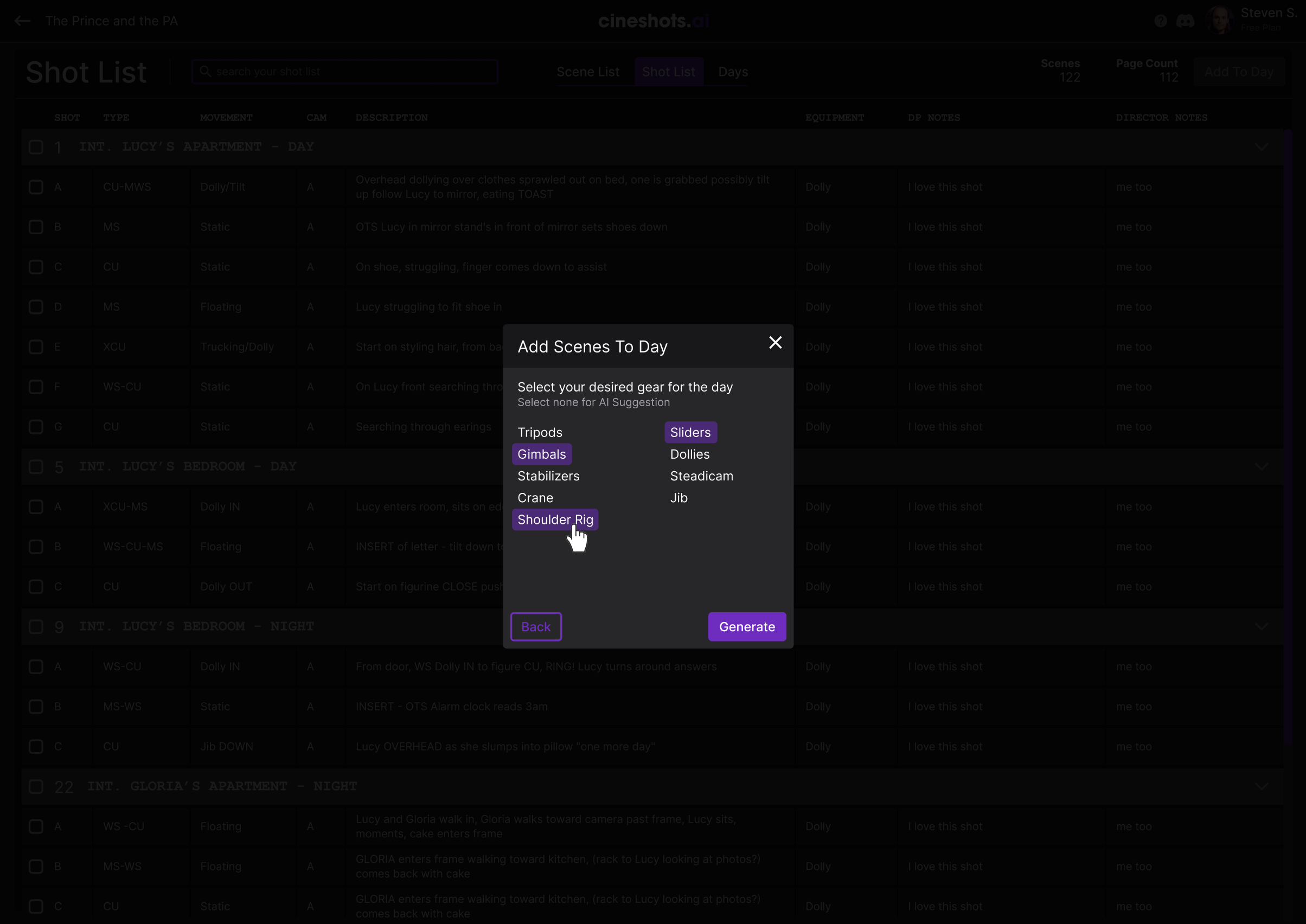
Smart Equipment

When adding scenes to a day, users can specify their gear preferences or let AI suggest equipment based on the shots. Options range from tripods to cranes, with the system calculating which gear can cover the most shots efficiently.

Equipment Selection Modal

Core Features

AI Script Analysis

Upload any standard script format and watch as AI extracts scenes, characters, locations, and dramatic beats—converting narrative text into structured production data.

Automated Shot Lists

Generate complete shot recommendations with camera types, movements, and compositions based on scene context and industry best practices.

Smart Day Planning

AI groups scenes into efficient shooting days based on location, cast availability, and equipment needs—optimizing your production schedule automatically.

Equipment Recommendations

Get gear suggestions based on your shots with local rental pricing. The system knows what equipment covers the most ground for your specific needs.

Full Manual Control

Every AI suggestion is fully editable. Add, remove, or modify shots, change camera movements, adjust day assignments—you're always in creative control.

Production Ready Export

Export shot lists, day breakdowns, and equipment orders in formats ready for call sheets, rental houses, and production coordination.

Design Rationale

1. Data Density Done Right

Film professionals need to see a lot of information at once. Rather than hiding data behind multiple clicks, I designed dense but scannable tables with clear visual hierarchy. Color coding, consistent spacing, and thoughtful typography make complex data digestible.

2. Progressive Disclosure

New users start with AI-generated suggestions and can customize as they learn the system. Advanced features like bulk operations and custom equipment lists reveal themselves as users develop confidence.

3. Cinematic Aesthetic

The dark theme with purple accents creates an environment that feels native to film professionals—echoing the color grading tools and editing software they already use daily.

4. Trust Through Transparency

AI suggestions are always labeled as suggestions, never presented as final decisions. Users can see the reasoning, modify freely, and maintain creative ownership throughout the process.

Reflection

Cineshots.AI taught me that AI tools succeed when they augment human expertise rather than replacing it. The Directors of Photography using this tool are masters of their craft—they don't need AI to tell them how to shoot a scene. They need AI to handle the tedious logistics so they can focus on creative decisions.

The 3-month research phase was invaluable. By testing concepts with real DPs before building, we avoided costly pivots and launched a product that immediately found its audience on major streaming productions.

Key Takeaway

The best AI tools feel like collaborators, not replacements. By keeping human expertise at the center and using AI to accelerate the boring parts, Cineshots.AI delivered a 90% time savings without sacrificing the creative control that professionals demand.