UI/UX Breakdown
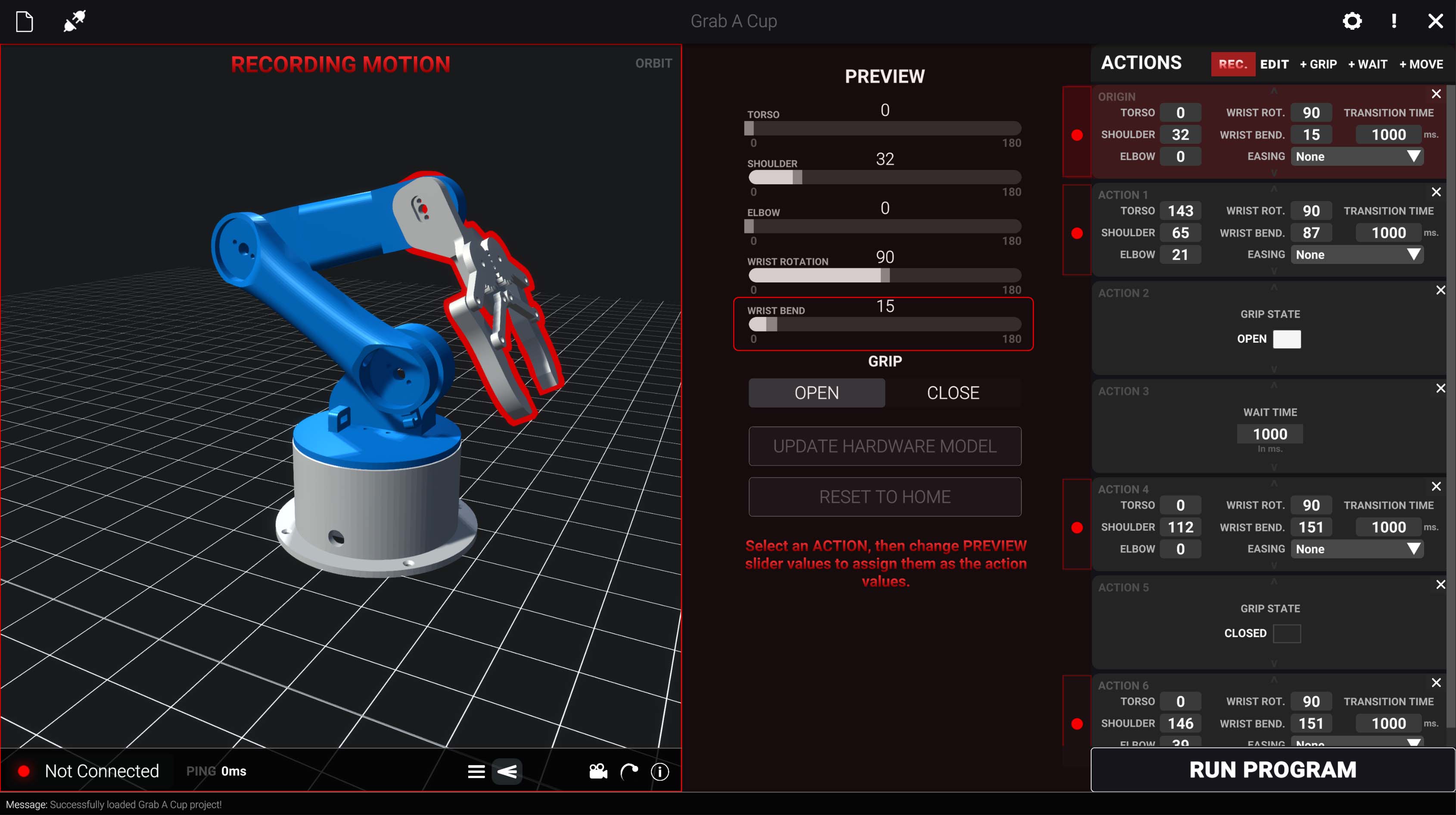
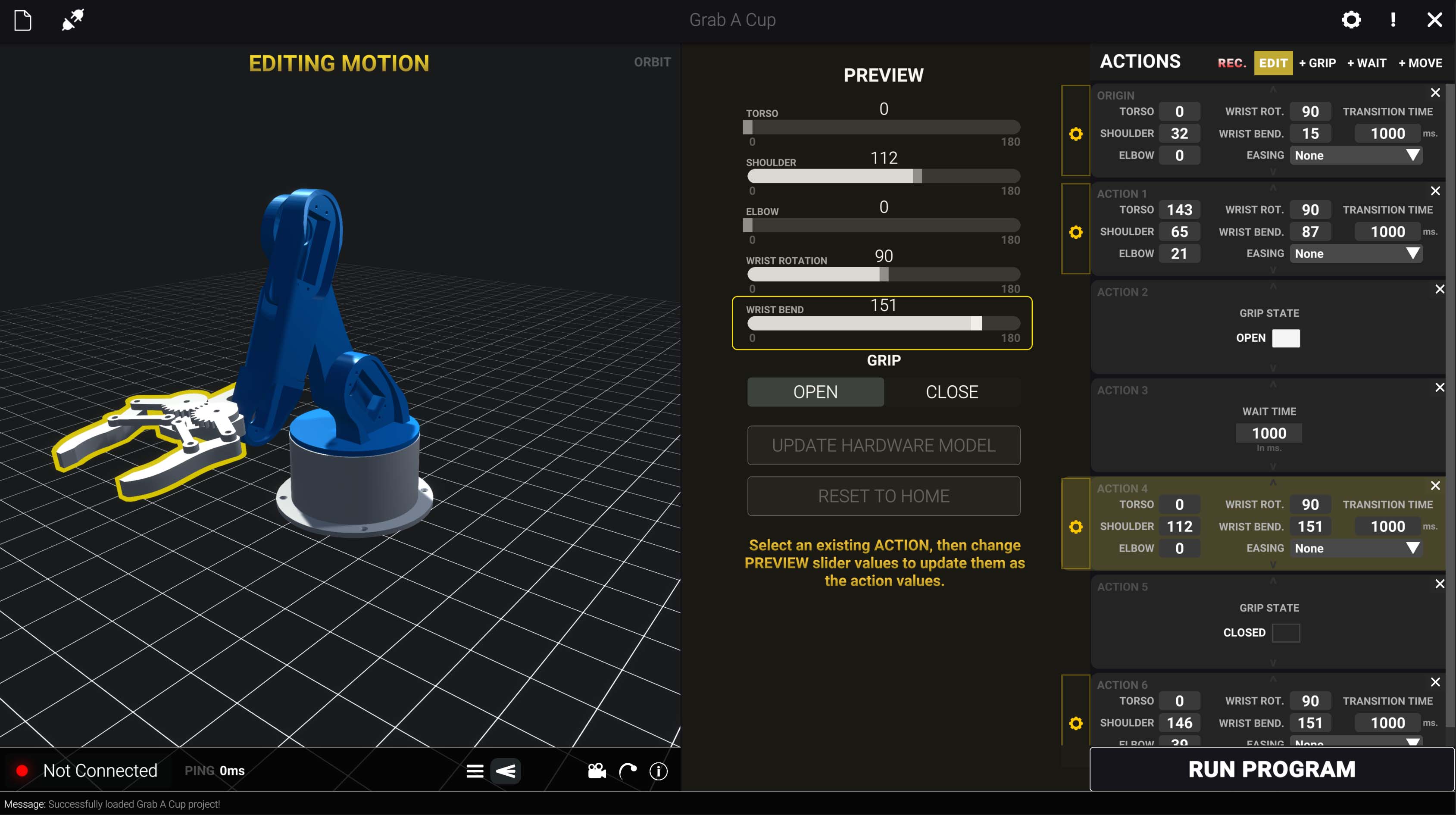
AJ is a desktop application built in Unity with C# and Python that makes programming robotic arms intuitive and accessible. Designed in collaboration with Jonathan Shulgach, a Ph.D. Engineering student at Carnegie Mellon University who had been developing the hardware control systems, AJ enables anyone to create complex motion sequences through a visual interface without writing a single line of code.
Quick context before the deep dive
Robotics has a steep learning curve; programming motion sequences shouldn’t require writing code.
Lead Product Designer on AJ (Unity/C#/Python) in collaboration with the hardware/control systems lead.
Low-cost hardware (under $100), safety/precision needs, and a UI that works for beginners and power users.
Created a visual workflow to build and simulate complex motion programs for a desktop robotics controller.
The inspiration for AJ came from the frustration that can be associated with a steep learning curve when entering the field of robotics. Having spent a majority of middle and high school participating in US FIRST Robotics myself, there was a clear need for an introductory tool that would allow youth or anyone curious about robotics to have a way to jump in and experience the fun of engineering, instead of starting with lines of code.
With the robotics market continuing to maintain a high barrier to entry for affordable and robust robotics tools, the open source nature of the hardware control systems allow the GUI to any arm using the same joint configurations as long as the operating system communicating with the Raspberry Pi is Windows.
Create an accessible robotic arm controller that lets anyone build complex motion sequences through an intuitive visual interface. The 3D-printed hardware costs under $100, which means we could finally bring robotics to schools, makerspaces, and hobbyists who were previously priced out. I wanted to prove that powerful tools don't have to be complicated.
Action blocks are steps or frames in an animation sequence. They hold the information for each command to the arm. Users can add, remove, adjust, and reposition any block, simplifying the animation process. Pressing RUN PROGRAM will sync the virtual 3D animation with the connected physical arm's movements if connected, otherwise it will simulate.
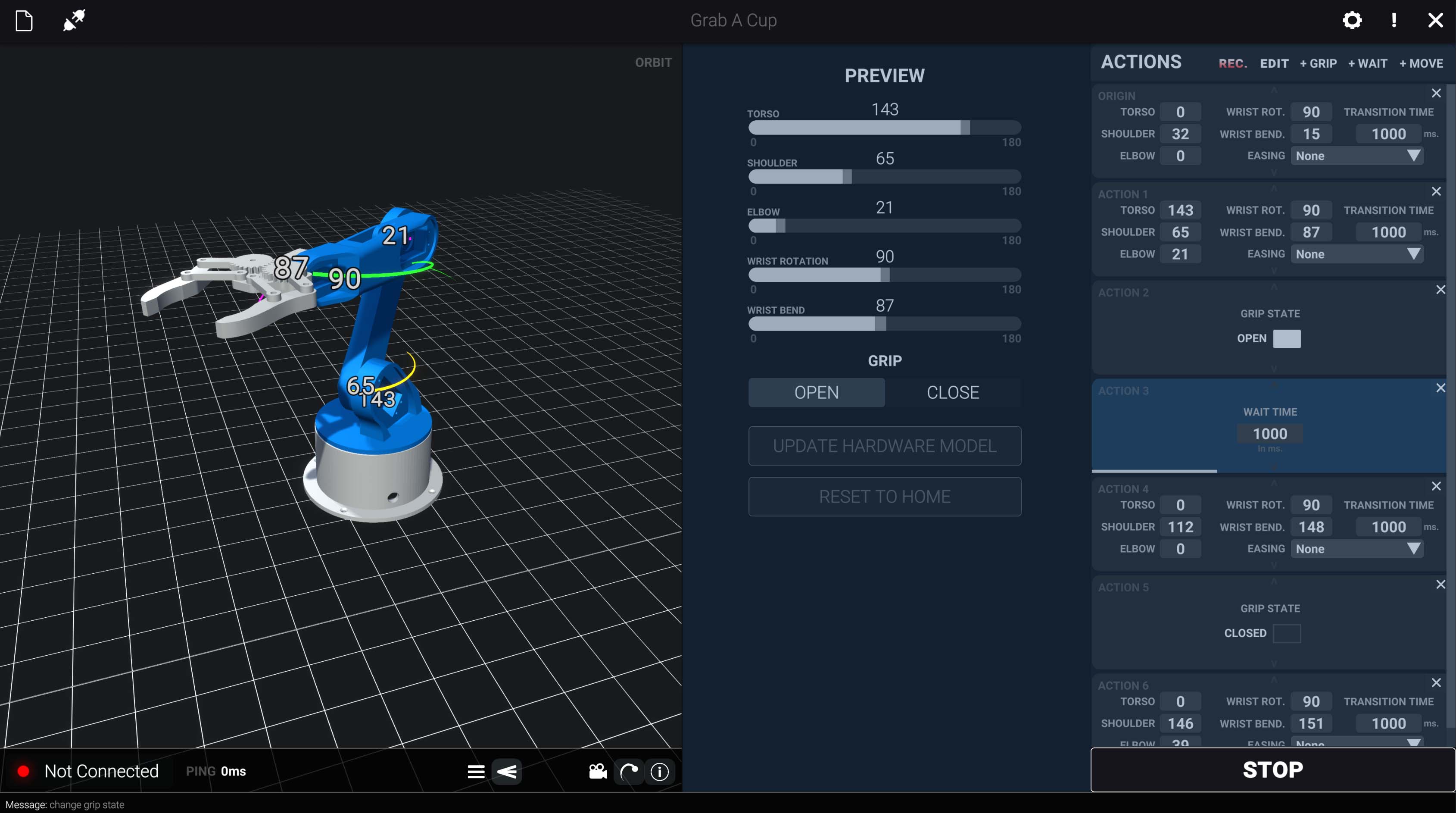
Each motion step is represented as a discrete block containing servo angles, timing, and easing. Users build sequences by stacking blocks; no code required.
A live 3D viewport shows exactly how the arm will move before execution. Color-coded servo overlays help users understand joint positions at a glance.
Quickly capture new positions in Record mode, then fine-tune parameters in Edit mode. Seamless switching keeps the workflow fast and intuitive.
UPDATE HARDWARE MODEL syncs the virtual arm to your physical device's position. Simulate offline or run live on the connected arm with RUN PROGRAM.
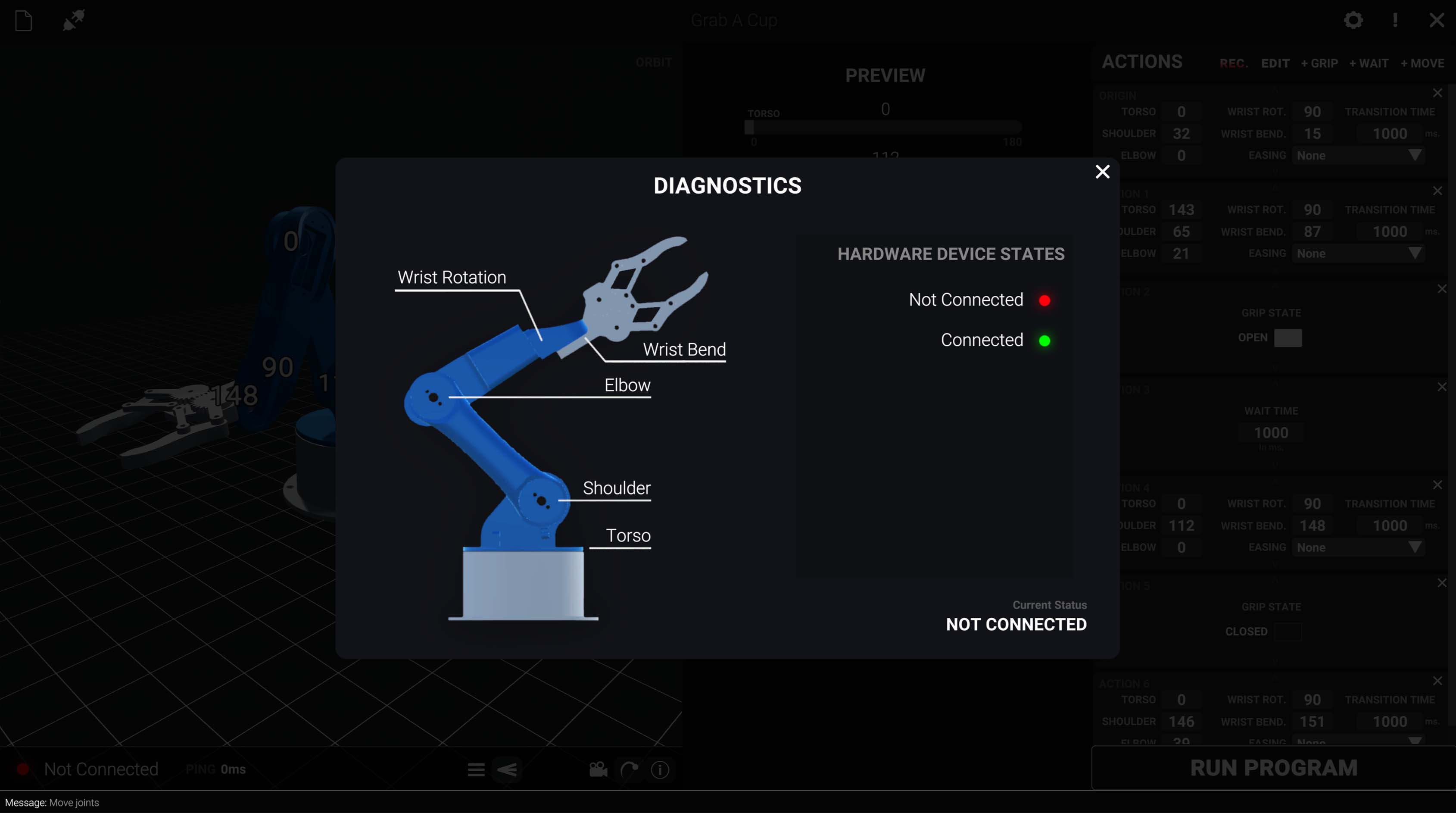
Real-time servo health monitoring shows connection status and power state. AJ prevents physical execution if any servo is malfunctioning.
Motion sequences can be saved and loaded, making it easy to build a library of reusable animations for common tasks.
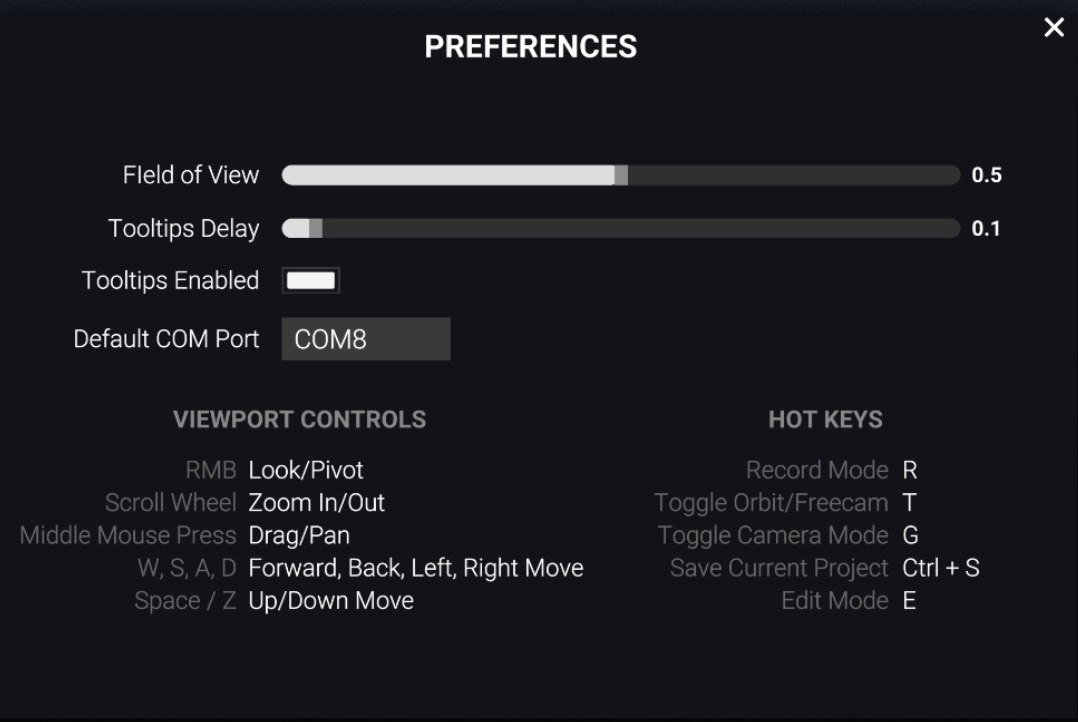
Instead of traditional industrial interfaces, I borrowed interaction patterns from 3D modeling software and games. Users can intuitively rotate, pan, and zoom the viewport using familiar mouse controls and WASD keys.
Rather than requiring users to write motion scripts, the action block system lets anyone build complex sequences visually. This lowers the barrier to entry for students and hobbyists.
Each servo uses a consistent color throughout the interface, from the 3D overlay to slider accents. This builds a mental model that helps users quickly identify which joint they're adjusting.
Advanced options like transition time and easing are available but not required. New users can start with basic controls and explore deeper features as they gain confidence.
AJ demonstrates that complex systems don't require complex interfaces. By borrowing patterns from game development and visual scripting tools, I created an experience that feels approachable rather than intimidating.
The project reinforced the importance of understanding your users' mental models. Students and hobbyists think differently than industrial operators, they want to experiment, make mistakes, and learn through play. The action block system and real-time preview support that exploratory approach.
Making robotics accessible isn't just about lowering hardware costs; it's about designing software that meets users where they are. AJ proves that with the right interface, anyone can program a robotic arm.